




Hold
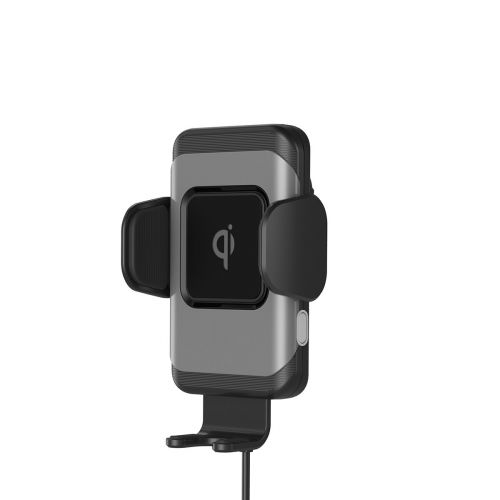
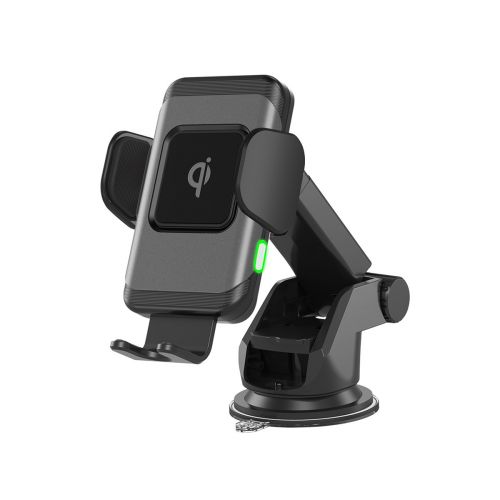
Automatic side clamps secure the phone in the cradle. The adjustable support and suction-cup base let you position the screen for your vehicle.




MERLIN · BOLT AIRMOUNT
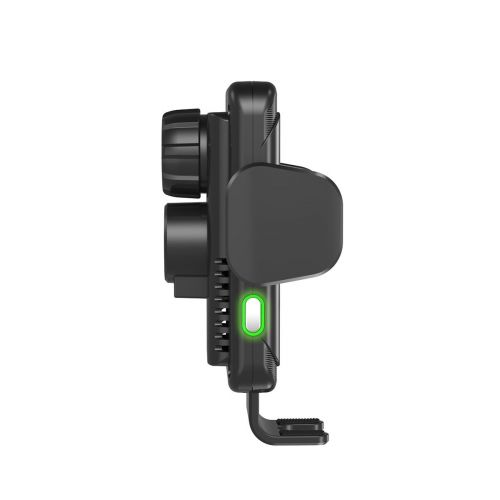
Bring your phone mount and wireless charger together. Bolt AirMount holds your compatible phone with automatic clamps and keeps it charging while your route stays in view.
UP TO 15 W WIRELESS CHARGING • AUTOMATIC CLAMPS • USB-C POWER
See how AirMount holds and charges a compatible phone in a luxury-car setting.
AI-generated illustrative demonstration. Phone and vehicle are not included. Fit and adjust the mount while parked; keep airbags and controls clear.

READY FOR YOUR DAILY DRIVE
No need to plug a charging cable into your phone every time you get into the car. Connect the AirMount to vehicle power, position your compatible phone and let the automatic clamps hold it in place.
Use it for the commute, an appointment across town or a longer road trip. Set your destination before you drive and keep your attention on the road.
Automatic side clamps secure the phone in the cradle. The adjustable support and suction-cup base let you position the screen for your vehicle.
Qi wireless charging delivers up to 15 W to compatible phones. Actual charging power depends on the phone, power adapter, cable, alignment and temperature.
USB-C supplies power to the mount. Your phone charges wirelessly, so you can leave its charging port free.

Your phone must support Qi wireless charging to charge on AirMount. A USB-C port on the phone alone does not mean it supports wireless charging. Charging speed varies by phone; 15 W is the mount’s maximum, not a promise for every device.
Use a case suitable for wireless charging. Thick cases, metal plates, card wallets and objects between the phone and charger can interfere with charging. Check that your phone and case fit securely in the cradle.
This is a clamp-style mount. It does not require your phone to attach magnetically.
| Product | Merlin Bolt AirMount wireless car charger and phone mount |
|---|---|
| Charging | Qi wireless charging, up to 15 W on compatible devices |
| Power input | USB-C; external vehicle power required |
| Phone retention | Automatic clamps |
| Mounting | Suction-cup base with adjustable support |
| Compatibility | Qi-enabled phones that fit the cradle; charging performance varies by device and case |
No. The phone and power supply determine the available charging rate. 15 W is the maximum supported output.
Yes. The mount connects to vehicle power through USB-C; the connection between the mount and a compatible phone is wireless.
A wireless-charging-compatible case may work, provided it fits the cradle and does not obstruct charging. Remove metal plates, cards or accessories between the phone and charger.
Check the vehicle power connection and the phone’s wireless charging support. Reposition the phone and try without its case. If needed, contact Merlin for help with your exact phone model.
Tell Merlin your phone model, case and vehicle mounting surface so the team can help you check compatibility.
THE PEOPLE BEHIND MERLIN
Merlin’s journey combines useful everyday technology with curiosity about what comes next. Beyond products, our work spans self-funded research through Merlin Farms and Greenspace, community initiatives through Kiva and ECP, and exploration in robotics, artificial intelligence and quantum technology.
These projects reflect our commitment to learning, building and contributing to the greater good.
Three films from our wider work in research, wellness and robotics.
Tour our research site at Sharjah Research, Technology and Innovation Park.
An introduction to another part of Merlin’s work.
Explore reception, delivery, cleaning and logistics robotics in the Merlin range.